
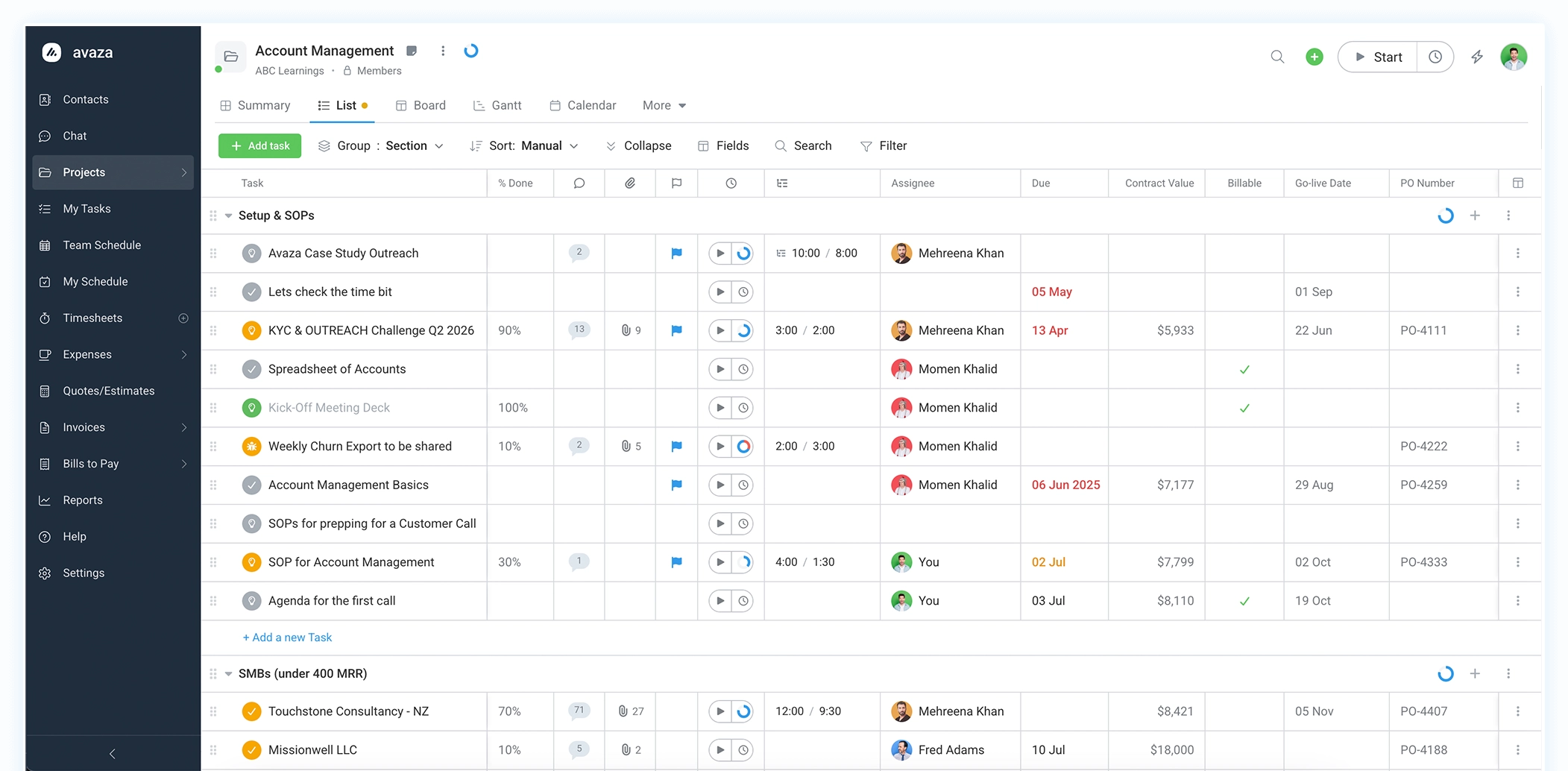
Switching from Harvest? Avaza gives you time tracking, projects, invoicing and scheduling in one place
Published, predictable pricing. No usage fees calculated after the fact
Harvest is a well-established time tracking and invoicing tool, and for years it was priced at a flat rate per seat. Since its acquisition in 2025, Harvest’s plans now charge a per-seat base rate plus usage fees for additional invoices, projects, clients and tasks — fees that aren’t published per unit, so many teams don’t know their bill until renewal. Avaza takes a different approach: time tracking, project management, invoicing, expenses and resource scheduling in one platform, with every price published up front and no usage fees calculated after the fact.
Avaza vs Harvest pricing in 2026
Every Avaza price is published up front. Harvest adds usage fees after the fact.
Worked example: a 10-person team
Avaza Business plan
$47.95 / month
10 timesheet users, 5 admin/finance users, unlimited projects and invoices
Harvest Teams
$110 / month
10 seats × $11, before usage fees
Avaza's $7 is the published price per additional Timesheet/Expense or Admin/Finance user on any paid plan; plans start at $11.95 per month. Harvest prices from getharvest.com/pricing, checked Sep 2026. Harvest usage fees are additional and not published per unit.
| Item | Avaza | Harvest |
|---|---|---|
| Per-seat price | $7 per additional user per month | $11 per seat per month on the Teams plan billed monthly; $8.80 billed annually; Enterprise from $17.50 |
| Base plan | Startup plan $11.95 per month including 2 timesheet users, 1 admin user, 20 active projects and unlimited customers | No base plan price; per seat plus usage fees |
| Usage fees | None; all add-ons are priced on the pricing page | Yes; invoices, projects, clients and tasks are billed on usage and per-unit rates are not published |
| Free plan | Unlimited project collaborators, 5 active projects, 10 customers | 1 seat, 2 projects |
| Timesheet approvals and profitability reporting | Included on every plan | Enterprise plan only, from $17.50 per seat |
| 10-person team example | Business plan $47.95 per month | Teams plan $110 per month before usage fees |
Avaza vs Harvest: feature comparison
Harvest covers time, expenses and invoicing. Avaza covers those and the project, scheduling and billing work around them.
| Feature | ||
|---|---|---|
| Projects and tasks | ||
| Task managementList, Kanban and Gantt views, sections, task types with custom statuses | Included | Tasks are time categories only |
| SubtasksNested tasks with time and estimate roll-up | Included | Not available |
| Custom fieldsCapture your own data on projects and tasks | Included | Not available |
| Saved custom viewsFilter, sort and group tasks, projects and schedules, then save the view for your team | Included | Not available |
| Recurring tasks | Included | Not available |
| Unlimited project collaboratorsInvite clients and contractors at no cost | Included | Every user is a paid seat |
| Emails to tasksForward an email to create a task | Included | Not available |
| Time and expenses | ||
| Timesheets and timers | Included | Included |
| Timesheet approvals | All plans | Enterprise planfrom $17.50 / seat |
| Expense trackingReceipts, categories, billable and reimbursable expenses | Included | Included |
| Expense approvalsSubmit, approve and reject expenses individually or in bulk | All plans | Enterprise plan |
| Cost rates and marginsPer person or per category cost rates for profitability | All plans | Enterprise plan |
| Invoicing and billing | ||
| Invoices and online paymentsStripe and PayPal, multi-currency | Included | Included |
| Quotes and estimates | Included | Included |
| Convert estimates and invoices to projectsLine items become tasks, budgets and fixed amounts | Included | Not available |
| Recurring invoicesAutomatically include unbilled time and expenses for the period | Included | Included |
| Retainer invoicingBill in advance, draw down credit on regular invoices, statement reports | Included | Included |
| Automatic card chargingCharge a stored card when a recurring invoice is issued | Included | Not available |
| Supplier billsRecord and pay bills from contractors and suppliers | Included | Not available |
| Multiple invoice templates and custom labels | Unlimited templates | Single template |
| Resource scheduling | ||
| Team and project schedulingBookings, leave, real availability numbers, recurring bookings | Included | Separate Forecast productextra cost |
| Schedule vs actual reportingCompare booked hours to logged time | Included | Requires Forecast |
| Reporting | ||
| Project profitability reporting | All plans | Enterprise planfrom $17.50 / seat |
| Saved and scheduled reports50+ reports, save your filters, email on a schedule | All plans | Custom reports on Enterprise |
| Task activity history | Included | Activity log on Enterprise |
| Collaboration | ||
| Team chatDirect messages and channels, external contacts free | Included | Not available |
| Task comments, followers and reactions | Included | Not available |
| Integrations and platform | ||
| QuickBooks Online and Xero | Included | Teams plan and above |
| Zapier, API and webhooks | Included | Included |
| MCP server for AI assistantsWork with your Avaza data from Claude, ChatGPT and other AI tools | Included | Not available |
| Mobile appsiOS and Android | Included | Included |
| Desktop appTrack time from your desktop | Windows and Mac | Mac app |
Harvest features and plan availability taken from getharvest.com and the Harvest Help Center, checked Sep 2026. All registered trademarks, company names and brand names are the property of their respective owners. Information is subject to change; to report a correction, contact us.

Switching from Harvest to Avaza
Most teams move in a week or less. Export your Harvest data, import it into Avaza, reconnect your accounting tools, and keep working.
Export from Harvest
Download your clients, projects, tasks, time, expenses and invoices as CSV files from Harvest's Reports and Manage pages. Harvest keeps your data available until your subscription ends, so there is no need to rush the cut-over.
Import into Avaza
Go to Settings › Import Data and upload each file. Customers, projects and timesheet categories that don't exist yet are created for you, and time that was already billed in Harvest can be flagged as invoiced so it is never billed twice.
Reconnect and go live
Connect QuickBooks Online or Xero, link Stripe or PayPal for online payments, invite your team, and add clients and contractors as free project collaborators. Book a call if you would like us to walk through it with you.
What comes across
- ClientsImported as Avaza customers, with contacts
- Projects and tasksIncluding budgets and billable rates
- TimesheetsFull history, linked to projects, tasks and people
- ExpensesWith categories, amounts and billable flags
- InvoicesImport past invoices so your customer history and outstanding balances carry over
- Accounting and payment connectionsReconnect QuickBooks Online, Xero, Stripe and PayPal in minutes
Free accounts include every feature. Upgrade only when you're ready to add your team.
Harvest terms and what they're called in Avaza
| In Harvest | In Avaza | What's different |
|---|---|---|
| Client | Customer | Customers have contacts, can be invited as free project collaborators, and can view their invoices online. |
| Project | Project | Same idea, plus sections, task types, custom fields, a Kanban board and a Gantt chart. |
| Task (as a time category) | Timesheet category | Categories such as Design or Meetings carry their own billable and cost rates. |
| Task (as a piece of work) | Task | A real task: assignees, dates, priority, subtasks, comments and time tracked against it. |
| Team member / seat | User role | Pay per user with Timesheet, Admin or Scheduling access. Project collaborators are unlimited and free. |
| Project budget | Project budget | Choose hours, per-person hours, category hours or a fixed fee; expense budgets per category. |
| Estimate | Estimate | Convert an accepted estimate into a project or an invoice. |
| Retainer | Retainer subscription | Automatic retainer invoices; payments become credit drawn down by regular invoices. |
| Forecast (separate product) | Resource scheduling | Built in: bookings, leave, availability and recurring schedules. |
| Reports | Reports | 50+ reports you can save, share and schedule by email on every plan. |
We have been using Asana and Harvest together however Avaza packages the functionality of the two products in one nicely.
Brian Carlock – Founder
Why teams choose Avaza as a Harvest alternative
Pricing you can budget for
Every Avaza price is on our pricing page: the plan, the per-user add-on, the extra storage. There are no usage fees for invoices, projects, clients or tasks, and nothing is calculated after the fact. Your bill next year looks like your bill this year unless your team grows, and unlimited project collaborators mean clients and contractors never cost you a seat.
Real project management, not just time categories
In Harvest a task is a label on a timesheet. In Avaza it is a task: assign it, set dates and priorities, break it into subtasks, move it across a Kanban board or Gantt chart, and add custom fields for the data your business needs. Save filtered views for your team so everyone opens the list that matters to them.
Resource scheduling included
See who is booked, who is free and who is over capacity, then schedule people to projects days or weeks ahead. Recurring bookings, leave and real availability numbers are built in, and you can compare scheduled hours to time actually logged. Harvest sells this as a separate product; Avaza includes it.
Billing that goes beyond the invoice
Send quotes, turn them into projects, bill time and expenses as you go, and automate the rest with recurring invoices, retainer credit, automatic card charging and supplier bills. Timesheet and expense approvals, cost rates and profitability reporting are on every Avaza plan, not gated behind a higher tier.
Harvest alternative FAQs
Straight answers to the questions Harvest customers ask us most.
How much does Harvest cost in 2026?
Harvest's Teams plan starts at $11 per seat per month billed monthly, or $8.80 billed annually. Enterprise starts at $17.50 per seat monthly, or $14 annually, and adds profitability reporting, timesheet approvals and SAML single sign-on. On top of the seat price, Harvest bills additional invoices, projects, clients and tasks based on usage.
Why has Harvest pricing changed?
Harvest was acquired in 2025 and moved from a flat per-seat price to a per-seat base rate plus usage-based fees in 2026. Because the usage layer scales with how many invoices, projects, clients and tasks your account has, two teams with the same headcount can now pay very different amounts, and some renewal bills have been many times higher than the previous year.
What are Harvest's usage fees?
Harvest's paid plans include a base allowance of invoices, projects, clients and tasks. Once your account passes that allowance, Harvest charges extra based on your activity in the previous billing period. Harvest does not publish the per-unit rates, so the only way to know your real cost is to check Settings › Billing in your Harvest account.
Is Avaza a good alternative to Harvest?
Yes, if you want more than time tracking and invoicing. Avaza includes everything Harvest does, plus full project management, resource scheduling, quotes, recurring and retainer billing, expense approvals and team chat, in one platform. Every price is published on our pricing page, with no usage fees.
Does Avaza charge usage-based fees?
No. Avaza plans start at $11.95 per month, additional Timesheet or Admin users are $7 each per month, and extra storage is $0.50 per GB. Each plan lists its included projects and invoices up front, and if you outgrow a plan you move to the next published tier. Nothing is calculated after the fact.
Does Avaza have a free plan?
Yes. Every account starts on the Free plan with no credit card required. It includes one Timesheet user, one Admin user, five active projects, ten customers, five invoices a month and unlimited project collaborators, so you can invite clients and contractors at no cost. Upgrade when you are ready to add your team.
Can I import my Harvest data into Avaza?
Yes. Export your clients, projects, tasks, timesheets, expenses and invoices from Harvest as CSV files, then upload them in Avaza under Settings › Import Data. Customers and projects that don't exist yet are created automatically, and time already billed in Harvest can be flagged as invoiced so it is never billed twice. Team members are invited by email rather than imported. Read the import guide.
Does Avaza integrate with QuickBooks Online and Xero?
Yes. Avaza connects to QuickBooks Online and Xero to sync invoices, payments and contacts, and to Stripe and PayPal for online invoice payments. Zapier, a REST API and webhooks are available for everything else. These integrations are included on every plan, not gated to a higher tier.
Does Avaza include timesheet approvals and profitability reporting?
Yes, on every plan including Free. Timesheet and expense approvals, per-person and per-category cost rates, project profitability reports and saved, scheduled reports are all standard. Harvest offers profitability reporting and timesheet approvals only on its Enterprise plan.
Does Avaza have resource scheduling?
Yes. Avaza's built-in Resource Scheduling shows who is booked, who is available and who is over capacity, with bookings, leave, recurring schedules and real availability numbers. Harvest sells this as a separate product called Forecast at an additional cost.
Harvest pricing and plan details from getharvest.com, checked [date].